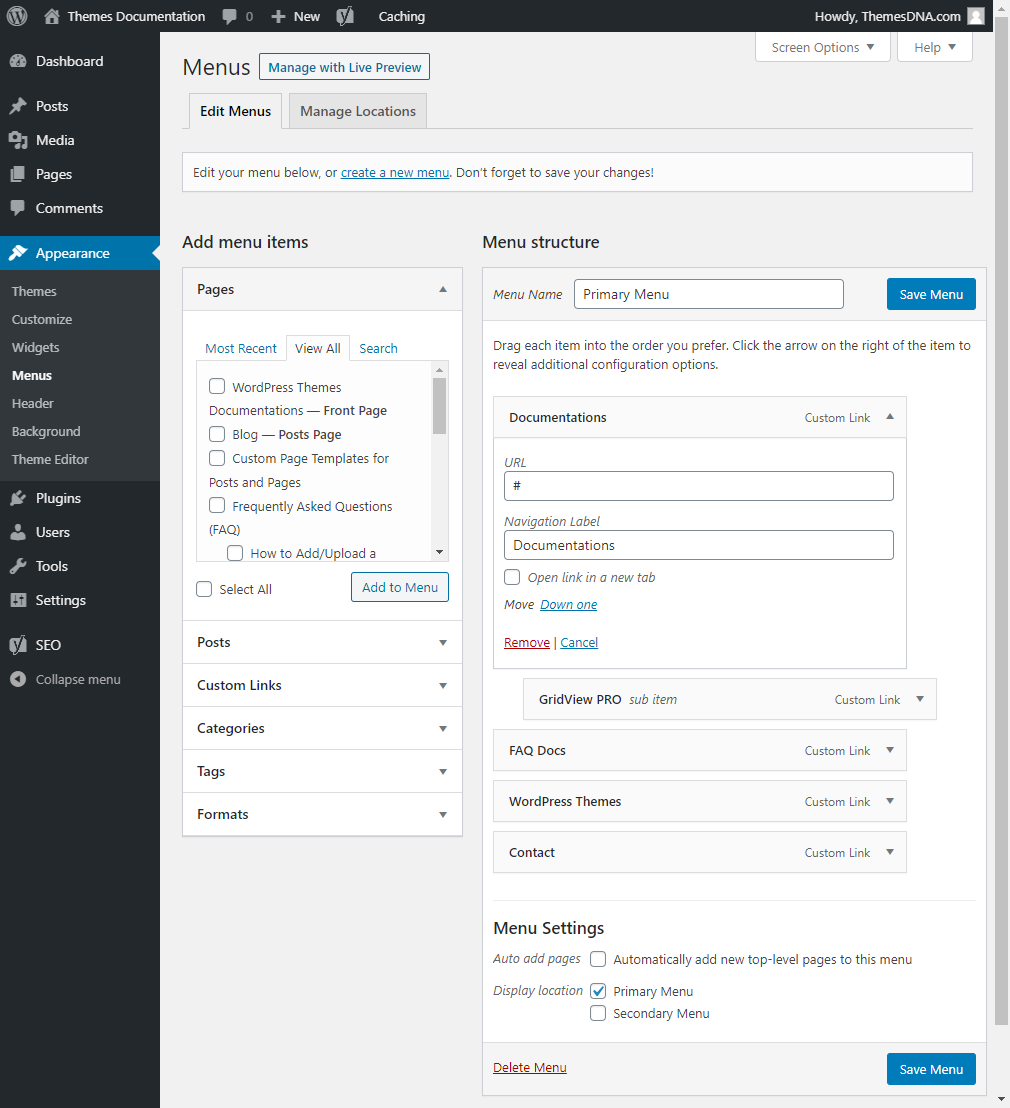
Just after installing the theme it will display the pages as the default menu. You can add your own links, categories, pages for the menu.
Your theme can have 1 or 2 menu display locations:
- Primary Menu
- Secondary Menu
Create Menu and Assign to a Menu Location
- To create a menu, go to
Appearance > Menusand click on thecreate a new menulink. - Give a name to your menu and click on the
Create Menubutton. - To add menu items, simply select options in the left side column by checking the box for pages, posts, categories, tags etc that you want to include and then click on the
Add to Menubutton. - To create menu drop-downs, simply nest your drop-down menu links below the menu item under which you want them to appear.
- When you are done adding links, select a menu location by checking one of the options listed under
Display locationand save your menu.